Comparison
 The best AI writing tools in 2026, compared
"AI writing tool" covers many of different things. Some tools fix your commas, some rewrite your sentences, and some will write the whole thing if you let them. A few (like Classmate) give you feedback and leave the writing to you.
The best tool depends on what you need. We looked at the tools students use most, checked what each one offers today, and sorted out what each is actually good at. (Yes, we built one of them. We'll tell you where the others do something better.)
The short list
| Tool | Best for | Free plan | Paid plans from |
|---|---|---|---|
| Classmate | Feedback on a whole draft, written for your prompt or rubric | Yes, about 10 reviews a month | $8/month (billed yearly) |
| Grammarly | Catching mistakes as you type, anywhere | Yes | $12/month |
| ChatGPT | Brainstorming, explaining ideas, general questions | Yes | $20/month (Plus) |
| Claude | Long documents, careful reading, brainstorming | Yes | $17/month (billed yearly) |
| QuillBot | Paraphrasing and rewording | Yes, limited | Premium (check current price) |
| ProWritingAid | Detailed style reports, fiction writing | Yes, limited | $10/month (billed yearly) |
| Hemingway Editor | Making sentences shorter and clearer | Yes (web editor) | Hemingway Plus (check current price) |
| Wordtune | Rewriting a sentence a few different ways | Yes, 10 rewrites a day | $6.99/month |
Prices are what each company listed in October 2026. They change often, so check before you buy.
At a glance
| Feature | Classmate | Grammarly | ChatGPT / Claude | QuillBot | Hemingway |
|---|---|---|---|---|---|
| Feedback on ideas, structure, and argument | Yes | PartlyLimited | Yesin a chat | No | No |
| Comments next to the exact sentence | Yes | Yes | No | No | Yeshighlights |
| Written for your prompt or rubric | Yes | PartlyAI Grader | Partlyif you paste it in | No | No |
| Catches grammar and spelling | Yes | Yes | Partly | Yes | PartlyPlus |
| Keeps the writing in your own words | Yes | Partly | Partly | No | Yes |
| Points out what's already working | YesStar comments | No | PartlySometimes | No | No |
1. Classmate: best for feedback that makes you a better writer
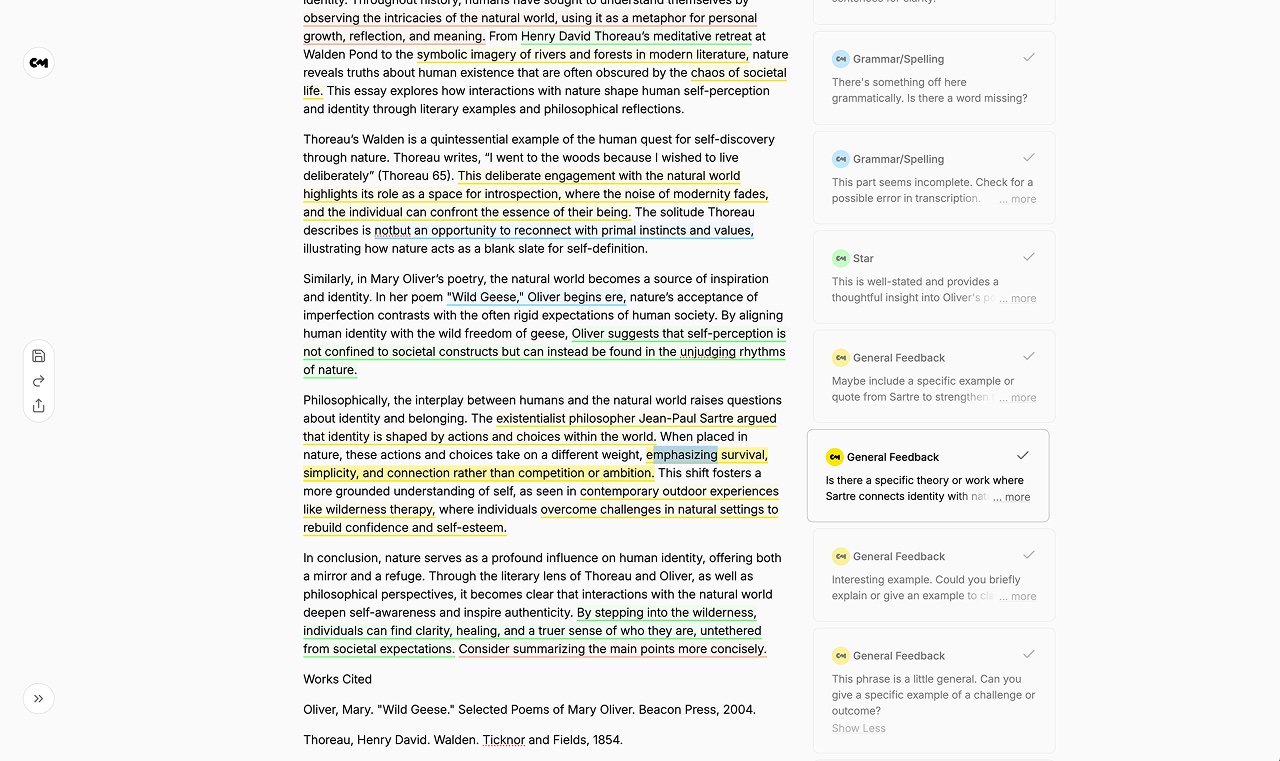
Classmate is built for one thing: giving you the kind of feedback a great teacher or tutor would. Paste in your writing and the prompt, rubric, or instructions, and in under a minute you get an overview of what's working and what to improve, plus comments that sit right next to the sentences they're about.
What makes it different from everything else on this list:
- It reads your whole draft against your prompt. Every comment is written with the assignment, the type of writing, and the rest of your draft in mind. A perfectly written essay that misses the question still misses the question, and Classmate will tell you.
- It never rewrites your work by default. It tells you what to fix and why, and you make the changes. Your writing stays yours, and you actually get better at it.
- Comments are color-coded by type. Star comments point out your strongest lines, General Feedback flags gaps in your argument or story, Word Reduction shows what to cut, and Grammar & Spelling catches the small stuff.
- You can ask follow-up questions. Every comment has its own thread. Ask "why?" or "can you give me an example?" and get an answer right there. If you ask, it can suggest a rewrite of just that passage.
- You revise in the same place. Classmate works like a Google Docs-style editor: edit next to the comments, resolve them, and resubmit for a fresh round of feedback.
It's tuned for academic essays, college application essays, creative writing, and emails, and you can focus feedback on grammar or on cutting words to hit a limit.
"Classmate's meticulous tip system was crucial to my essay writing process. Its ability to grasp and enhance your tone makes it a tool that will aid anybody in their writing journey!"
Alex Rosas, Harvard '29
Best for: students revising essays, anyone who wants to learn to write better rather than have it done for them. Price: Free (about 10 Quick or 5 Detailed reviews a month). Pro is $12/month, or $96/year, with unlimited feedback and a 7-day free trial.
2. Grammarly: best for catching mistakes as you type
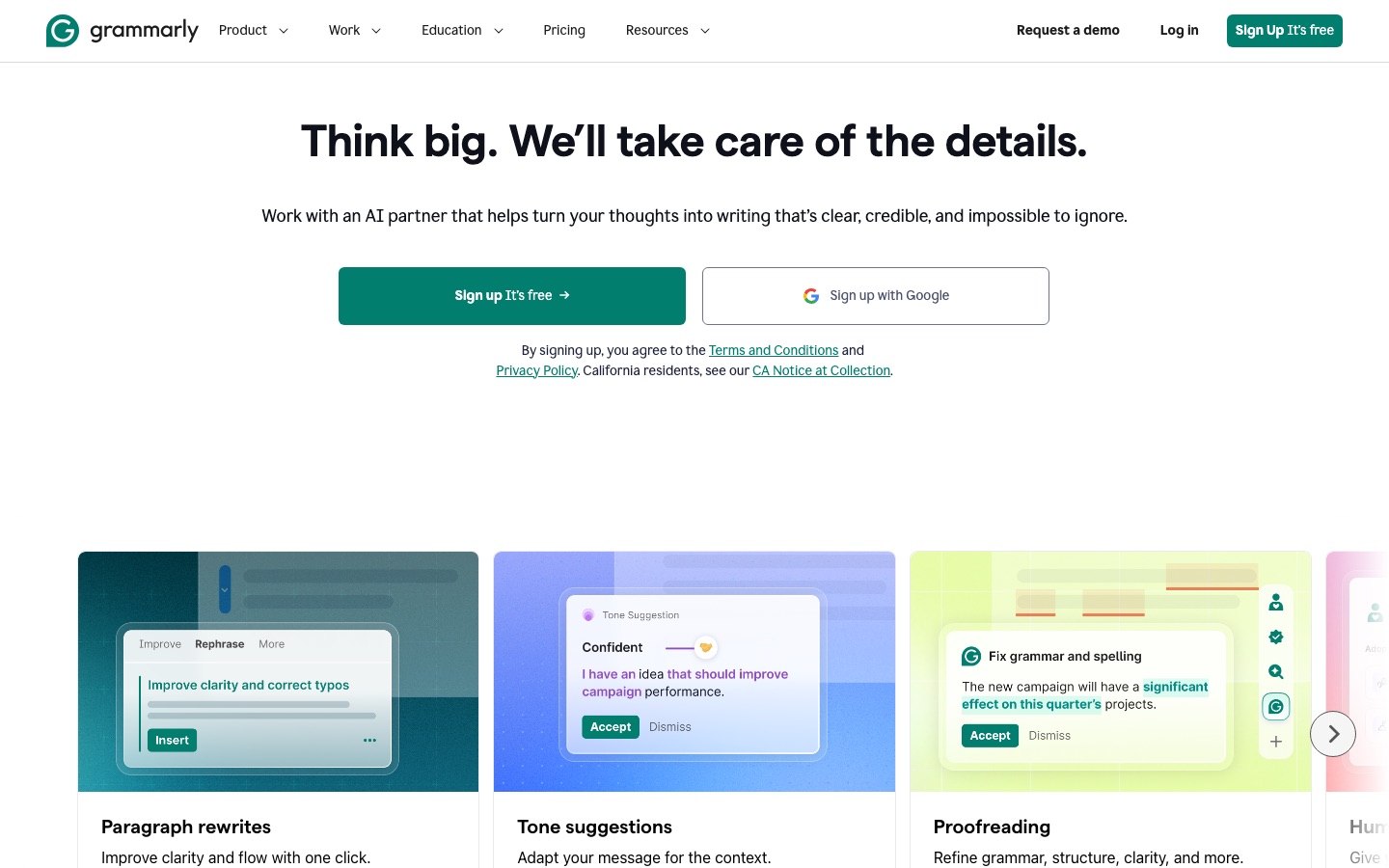
Grammarly is the tool most people already have installed, and for good reason. It checks spelling, grammar, and clarity as you type in almost any app: Google Docs, email, even a text box on a website. You never have to stop and submit anything.
It's added a lot of AI over the last couple of years, including rewrites, tone suggestions, and "agents" like an AI Grader that estimates your score from a rubric. The free plan covers grammar and spelling plus 100 AI prompts a month.
Where it falls short is the big picture. Grammarly mostly works sentence by sentence, so it won't tell you that your second paragraph doesn't support your thesis, or that your conclusion just repeats your intro. We wrote a full Classmate vs. Grammarly comparison if you want the details.
Best for: a final proofread, and everyday writing like email. Price: Free; Pro starts at $12/month.
3. ChatGPT: best for brainstorming and explaining
ChatGPT can do almost anything with text, which is both its strength and its problem. It's great for brainstorming topics, explaining a concept you don't understand, or talking through an idea before you write.
For feedback on a draft, though, it's awkward. You paste in your essay, get back a long list of points, and then have to figure out which sentence each point is about. Ask a follow-up and the conversation gets longer and harder to use. And it's very easy for "give me feedback" to turn into "here's a rewritten version," which isn't your writing anymore. More on that in Classmate vs. ChatGPT and Claude.
Best for: brainstorming, research questions, explaining concepts. Price: Free; Plus is $20/month.
4. Claude: best for long documents and careful reading
Claude, from Anthropic, is a general-purpose AI assistant like ChatGPT. It's especially good with long documents and tends to give thoughtful, well-organized answers, so it's a strong pick for reading a long paper and talking through it.
It has the same limits as ChatGPT when it comes to feedback, though. Everything comes back as a chat, separate from your draft, and you have to map each point back onto your writing yourself.
Best for: working through long readings, brainstorming, getting a second opinion on an idea. Price: Free; Pro is $20/month, or $17/month billed yearly.
5. QuillBot: best for paraphrasing
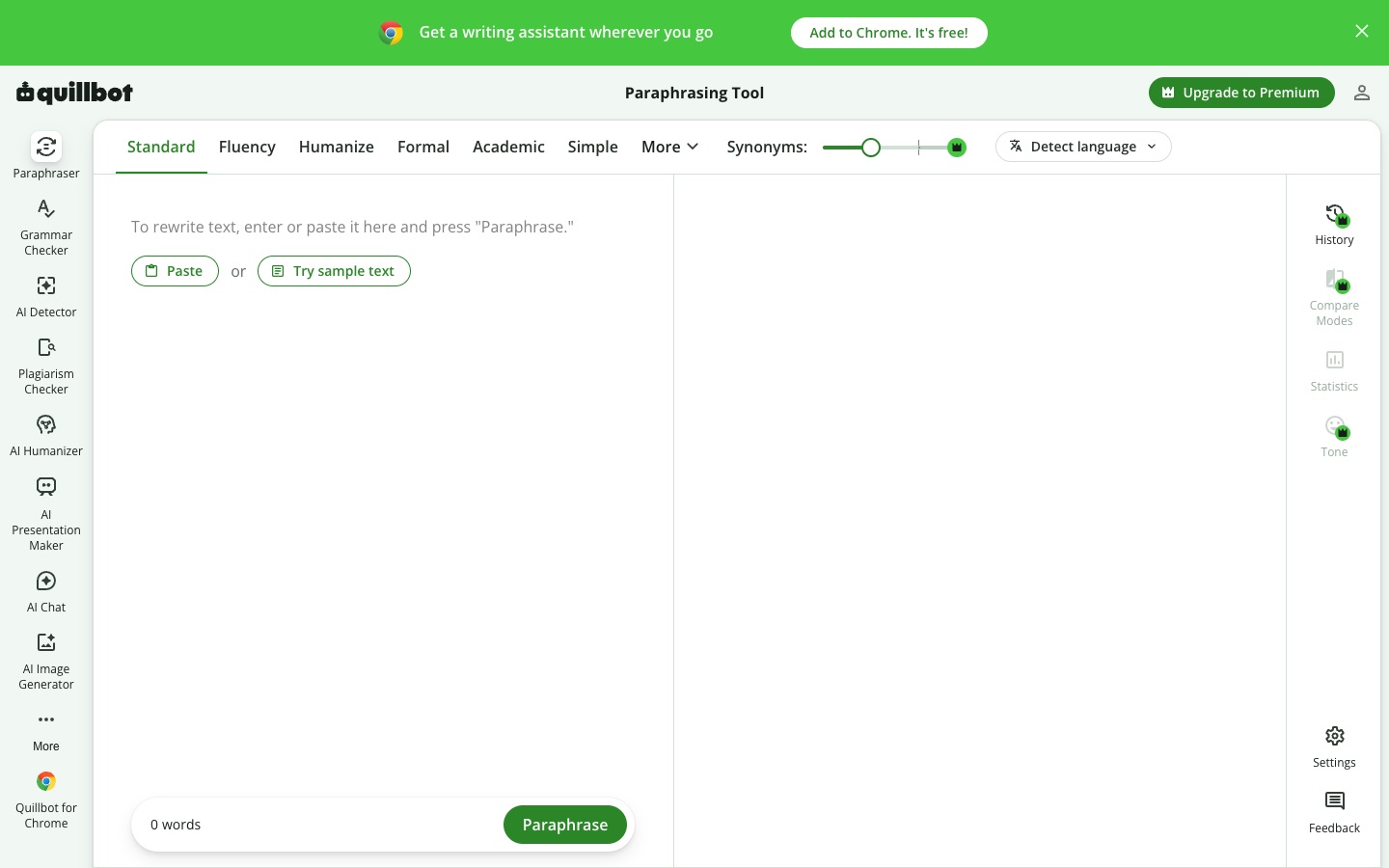
QuillBot is best known as a paraphraser: paste in a sentence, and it gives it back reworded, in modes like Fluency, Formal, or Academic. It also has a grammar checker, a summarizer, a citation generator, and an AI detector.
Paraphrasing is handy when you're stuck on one awkward sentence. But it's the opposite of feedback: QuillBot changes the words without telling you what was wrong, so you don't learn anything, and the writing stops sounding like you. The free plan only paraphrases 125 words at a time. See Classmate vs. QuillBot for the full comparison.
Best for: rewording a sentence you're stuck on. Price: Free (limited); Premium is paid.
6. ProWritingAid: best for in-depth style reports
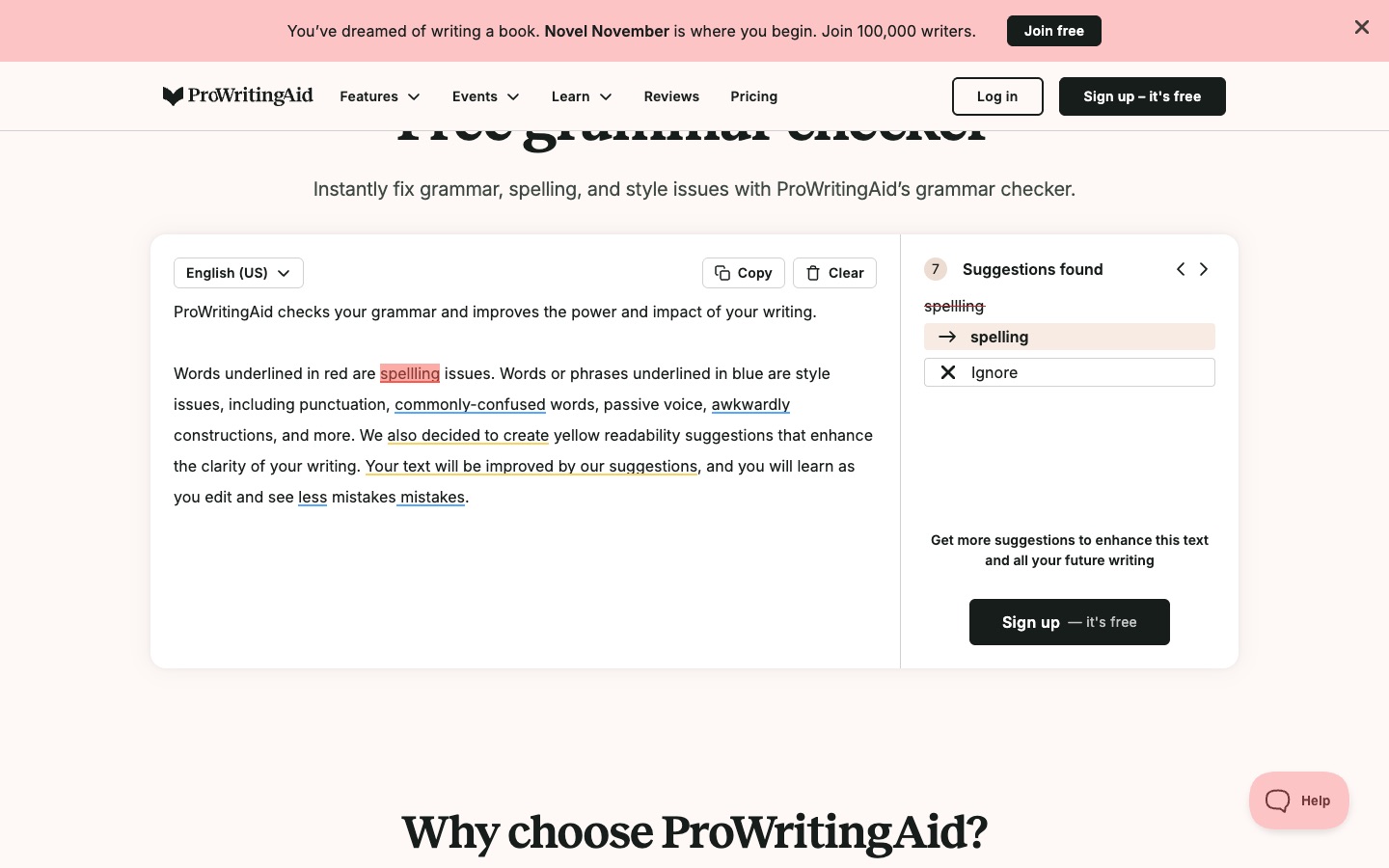
ProWritingAid is like Grammarly with a lot more reports. It checks grammar and style, then breaks your writing down into 25+ reports on things like overused words, sentence length, sticky sentences, and pacing. Lately it's leaned hard into fiction, with tools for planning stories and critiquing chapters.
If you love data about your writing, it's great. For a school essay, it can be a lot: the reports tell you what patterns are in your writing, but not whether your essay answers the prompt.
Best for: novelists and long-form writers who want detailed style analysis. Price: Free (500 words per report, a couple of runs a day); Premium is $10/month billed yearly, or $30 month to month. Students get 25% off yearly plans.
7. Hemingway Editor: best for clear, simple sentences
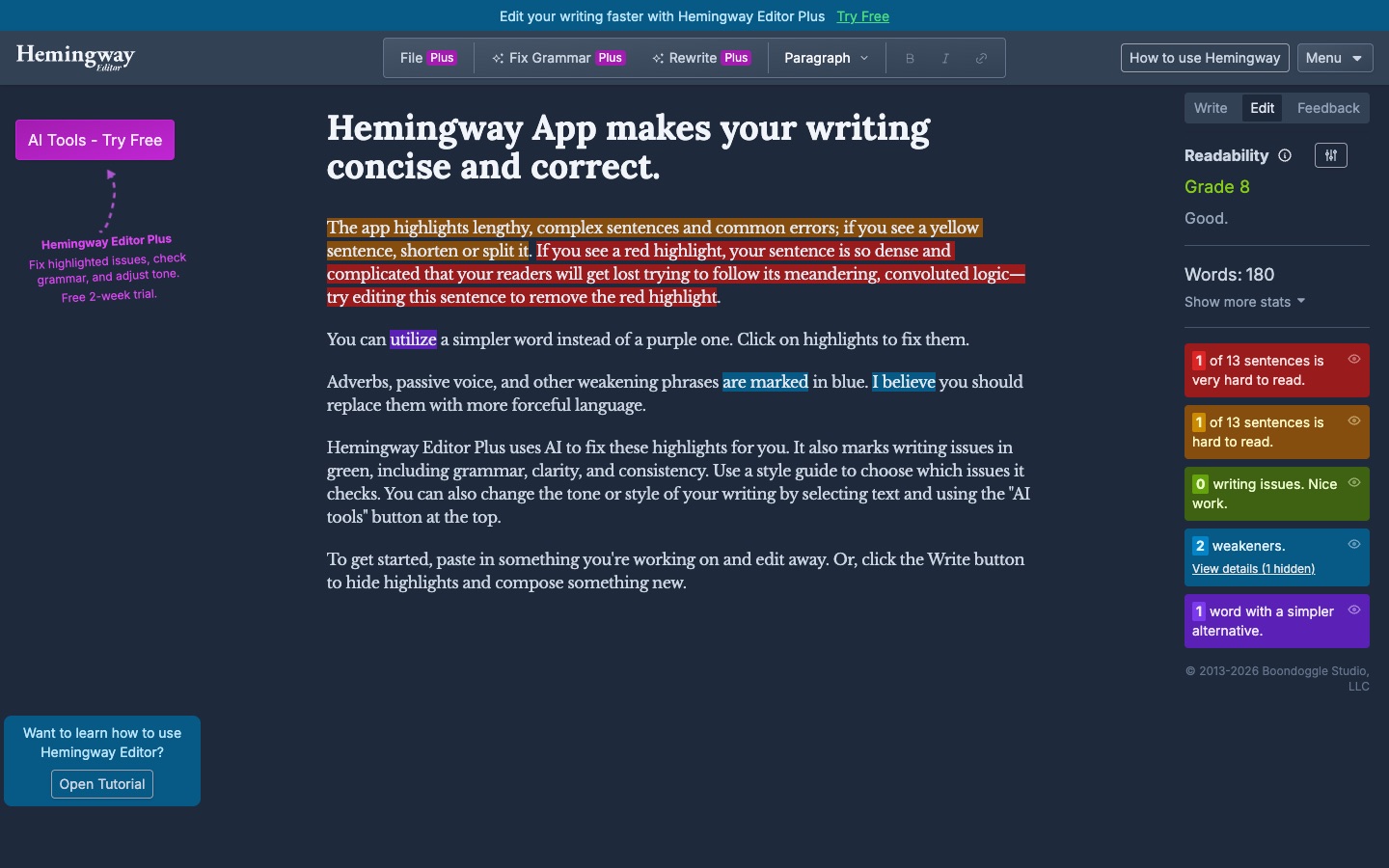
Hemingway Editor does one thing really well. It highlights sentences that are hard to read, adverbs, passive voice, and words with simpler alternatives, and gives your writing a readability grade. It's free on the web, and it's a great way to see where your writing gets wordy.
The newer Hemingway Plus adds AI that fixes those highlights for you, checks grammar, and changes tone.
It doesn't know anything about your assignment, though, and shorter isn't always better. A college essay at "Grade 5" readability can lose the voice that made it good.
Best for: tightening up wordy writing. Price: The web editor is free; Hemingway Plus is paid, with a 2-week free trial.
8. Wordtune: best for trying a sentence a few different ways

Wordtune gives you a few different rewrites of any sentence you highlight: more formal, more casual, shorter, or longer. It also summarizes articles and checks grammar.
Like QuillBot, it's a rewriter, not a feedback tool. It's useful when you know a sentence is off but can't figure out how to fix it. It won't tell you whether the paragraph around it is working.
Best for: quickly trying out alternate phrasings. Price: Free (10 rewrites a day); paid plans from $6.99/month.
How to choose
Ask yourself what you actually want out of the tool:
- "Is my essay good, and how do I make it better?" Use Classmate. It reads your whole draft against your prompt and tells you what to fix and why.
- "Did I make any typos?" Use Grammarly, or Classmate's Grammar & Spelling focus.
- "I don't know what to write about." Brainstorm with ChatGPT or Claude, then write the draft yourself.
- "This one sentence sounds weird." Ask about it in a Classmate comment thread, or try QuillBot or Wordtune.
Plenty of people use more than one. A good routine: draft it yourself, revise with Classmate until the essay says what you want it to say, then run a final proofread with a grammar checker before you submit.
Try Classmate on your own writing
Classmate is free to use. Paste in your writing and the prompt, and see what it says in under a minute.